
Organizers
Revoke a revenue-sharing cycle
Updated 26 Nov 2026
This guide helps the Organizer cancel a revenue-sharing cycle that is wrong, before anyone collects money from it.
Before you start
- You know why the cycle is wrong, for example Check it yourself or the public ledger showed Doesn’t match.
- Your account holds the Organizer role in this DAO.
Steps
- Open the ☰ menu. Under Organizer, tap Revenue sharing. Scroll to Cycles.
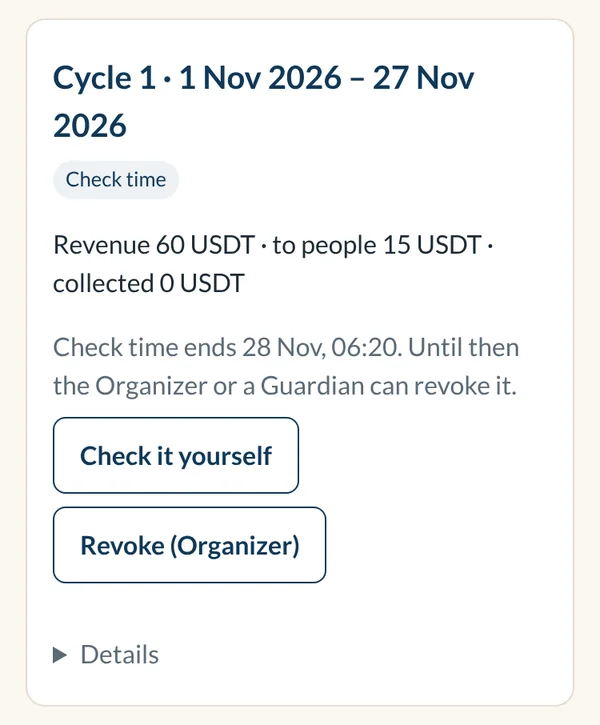
- Find the cycle. Tap Check it yourself if you want to see what doesn't match.
- Tap Revoke (Organizer).
- Read the question and tap OK. Confirm with your screen lock.
- Wait for Done. The cycle now shows Revoked.
Good to know
- In Check time, revoking is simple: Revoke this cycle? Its orders can then go in a new cycle. The Operator can then send a correct cycle.
- After the cycle is Final, you can still revoke it while nobody has collected from it: Nobody has collected from this cycle yet. Revoke it? Its money goes to the shared fund, and the DAO corrects it by a proposal.
- Once anyone has collected, the button is gone. The DAO fixes it by a proposal instead.
- A Guardian can also revoke during the check time with Revoke (Guardian).
- Lists of paid tasks work the same way: on Paid tasks, Revoke (Organizer) shows Revoke this list? Its money goes back to the budget.
- Nothing is erased: the revoked cycle stays in the list and in the public ledger.
If something goes wrong
- That didn’t work. Please try again. Someone may have just collected, or the connection dropped. Reload the page.
- Too many actions today. Please try again tomorrow.