
Members & LP holders
Vote on a proposal
Updated 26 Nov 2026
This guide helps GT (voting power) holders vote on a proposal, so the DAO can decide together.
Before you start
- You need votes (GT) in this DAO on the day the proposal started.
- You may get an email about a new proposal (see Choose which emails you get).
Steps
- Open the menu ☰ and tap Proposals and votes, or tap Proposals and votes on the DAO page.
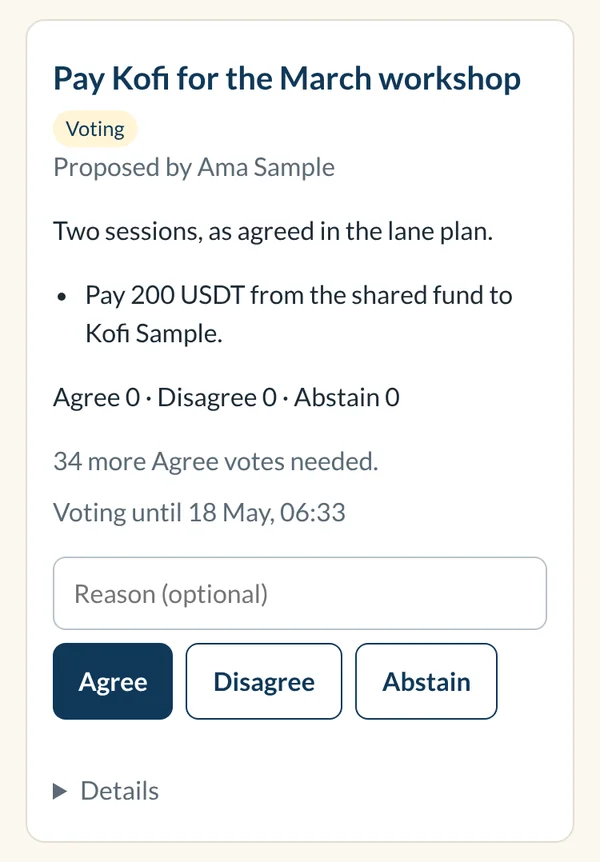
- Find a proposal marked Voting. Read its title, the reason, and If it passes (what it will do). Details shows the exact steps.
- Check the count: Agree … · Disagree … · Abstain …, and how many more Agree votes are needed. The date in Voting until is the last day to vote.
- If you like, type a short Reason (optional).
- Tap Agree, Disagree or Abstain. Confirm with your screen lock.
- You see Done. and then You voted.
After the vote
- When the voting time is over with enough Agree votes, the proposal shows Passed – start the wait. Anyone in the DAO can tap Start the wait.
- It then shows Passed – waiting and Can run from a date. This waiting time lets members see the decision before it happens.
- After that date, anyone in the DAO can tap Run it. The proposal shows Done.
Good to know
- All your votes count together. You cannot change your vote.
- Votes are counted on the day a proposal starts. Votes you get later do not count for it.
- Not passed means there were not enough Agree votes. Cancelled means it was stopped, for example by a Guardian during the wait.
- Every vote is also in the Public ledger.
If something goes wrong
- You had no votes when this proposal started. You cannot vote on this one.
- The screen lock was cancelled. Please try again. Tap the button again and confirm. If it keeps happening on a new device, see Your recovery words and a new device.
- Too many actions today. Please try again tomorrow.
- That didn’t work. Please try again. Reload the page and try again.