
Members & LP holders
Choose which emails you get
Updated 26 Nov 2026
This guide helps members choose which emails the app sends them, so they hear about money and votes without extra mail.
Before you start
- Your account is set up. The Emails card shows on My account after Your account is ready.
Steps
- Open the menu ☰ and tap My account.
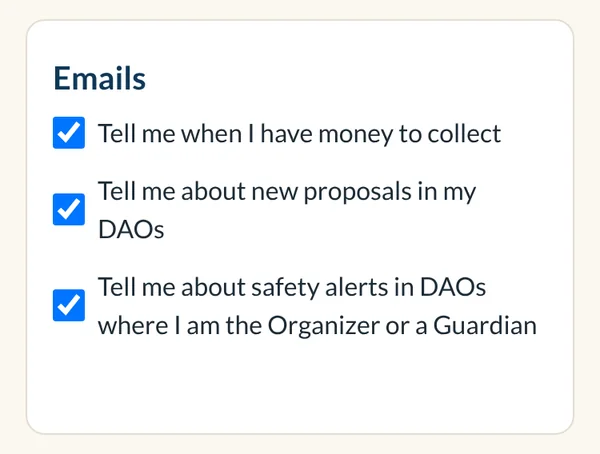
- Go to the Emails card.
- Tick or untick Tell me when I have money to collect.
- Tick or untick Tell me about new proposals in my DAOs.
- Each change saves by itself. You see Saved.
Good to know
- Both are on until you change them.
- Money emails come from payment@kambria.io. Proposal emails come from mods@kambria.io.
- The proposals setting also covers emails about a waiting IP declaration update and, for task approvers, a list of paid tasks waiting for approval.
- You never get the same email twice. The emails go to the address you sign in with.
If something goes wrong
- Couldn’t save. Please try again. Change the tick again, or reload the page.
- No emails arrive? Check your spam folder. You can always see your money on Earnings and proposals on Proposals and votes.