
Customers & the public
Read the public ledger
Updated 26 Nov 2026
This guide helps anyone read a DAO's public ledger, so they can see every payment, payout, shared-fund move and vote for themselves.
Before you start
- You know the DAO's code (for example CIRCLES), or you have the link to its ledger.
- You don't need to sign in.
Steps
- Open ledger.html?code=<DAO code> on this site. Members can also tap Public ledger in the ☰ menu or on the DAO page.
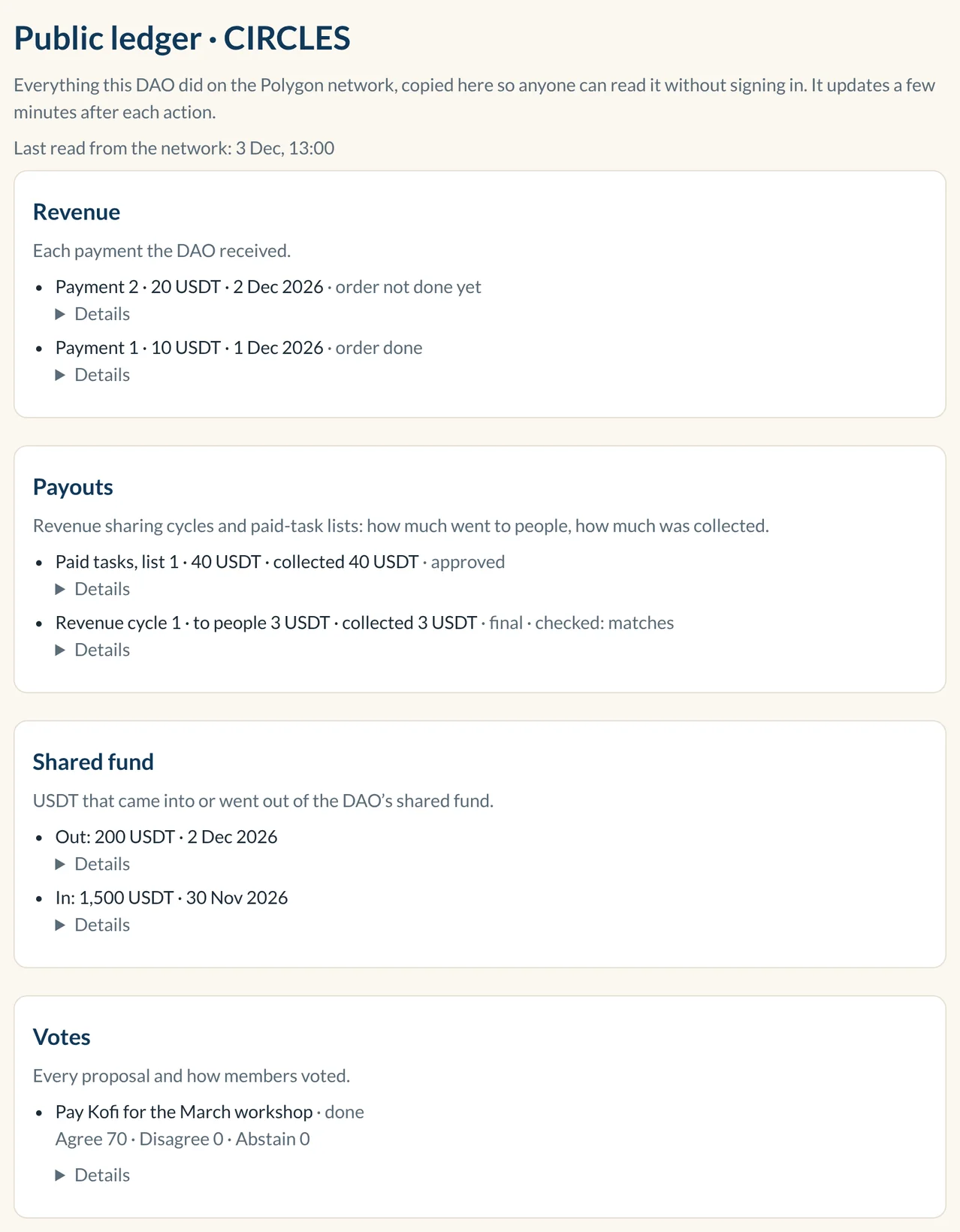
- At the top you see Last read from the network: <date>. The ledger updates a few minutes after each action.
- Revenue: each payment the DAO received, as Payment <number> · <amount> USDT · <date>, with order done or order not done yet.
- Payouts: revenue sharing cycles and paid-task lists. A cycle shows Revenue cycle <number> · to people <amount> USDT · collected <amount> USDT and its state: in check time, final or revoked.
- Next to a cycle, look for checked: matches or checked: does not match. The ledger works each cycle out again from the network; could not be checked means it couldn't do that yet.
- Shared fund: money in and out, as In: <amount> USDT or Out: <amount> USDT with the date.
- Votes: every proposal with Agree · Disagree · Abstain and its state, for example passed, waiting to run or done.
- To see the original record of a line, tap Details, then See it on Polygonscan. It opens Polygonscan, a public site that shows the Polygon network.
Good to know
- The ledger shows only amounts and network addresses, never names or emails.
- Each section shows the latest 50 lines (Showing the latest 50.).
- Paid-task lists show approved, sent back, revoked or waiting for approval.
- If a cycle does not match, the DAO's Organizer and Guardians get an email, and can revoke the cycle during its check time.
If something goes wrong
- This DAO has no records in the ledger yet. – the code is wrong, or the DAO has done nothing on the network yet.
- The public ledger isn’t set up on this site yet. – try again later.
- Nothing yet. in a section – nothing of that kind has happened.
- checked: does not match – tell the DAO's Organizer or a Guardian.