
Organizers
Accept a payment that was held back
Updated 26 Nov 2026
This guide helps the Organizer deal with money a buyer paid that didn't follow the rules, for example the wrong amount, so it is counted as revenue or returned.
Before you start
- Your account holds the Organizer role in this DAO. Only you see the Money held back card.
- Talk to the member who made the order. Check with the buyer whether the payment was meant for the DAO.
Steps
- Open the DAO page (☰ menu, Organizer, DAO page and members) and tap Payments and orders.
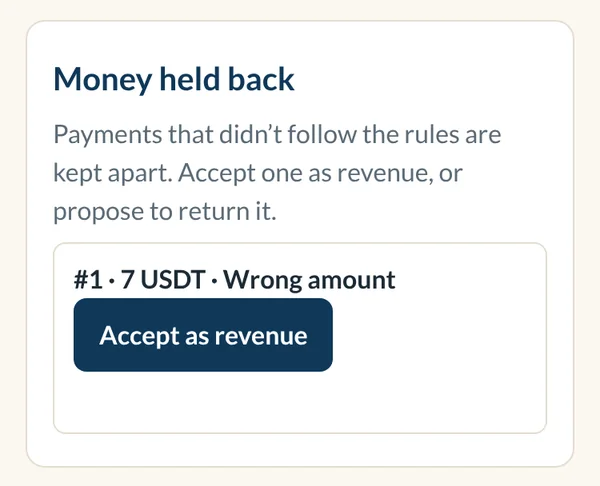
- Scroll to Money held back. Each payment shows its number, amount and reason, for example Wrong amount.
- To keep it as revenue, tap Accept as revenue and confirm with your screen lock. Wait for Done.
- To give it back, type the buyer's account address in Return to (the buyer’s account address) and tap Propose to return it. You see Proposed. Members can now vote on it.
Good to know
- Reasons you may see: Wrong amount, Paid after the link expired, Paid twice, Over the payment limit, The DAO is holding its maximum, Paid more than asked.
- Accepting is direct: no vote. If the order was still unpaid, the money becomes its payment; otherwise it is revenue that can be shared in the next cycle.
- Returning money always needs a DAO vote. You need votes (GT) to see the return button.
- When nothing is waiting you see Nothing is held back.
If something goes wrong
- That didn’t work. Please try again. For a return, check that the address starts with 0x and has 42 characters.
- Too many actions today. Please try again tomorrow.
- You don't see the card: your account doesn't hold the Organizer role. Ask Kambria Ops.